I was recently invited to participate in a really interesting workshop organised by Richard Johnson, Director of
ELI Seville. The focus of the workshop was 'The Language School of the Future' and it produced a number of scenarios for the possible development of private language schools, which varied from the 'business as normal' model to a total shift away from scheduled classroom lessons. I'll post more about those scenarios later in the month, but it did occur to me that before we look to the future we could pull language schools and language departments into the present.

The 'Web 2.0' age has brought us more than a bunch of social networking apps and free web tools, it has also brought about a fundamental shift in the way many web based companies do business. I started to wonder if that change could be mirrored in the physical market place by moving towards a new approach to the language school and the way technology is used in it and how it fits into the face to face business model.
What follows are some suggestions for what I feel could bring about a shift in the way language schools market themselves and integrate technology, not just into the classroom, but to the whole school environment.
How to make your school a Web 2.0 school of the present 1. Ubiquitous open wireless access
This is probably the most basic and fundamental change that you could introduce in your school and the one thing that could have the biggest long term impact.
Make wireless Internet access freely available from anywhere in the school, without restriction, to anyone who wants to walk through your door, regardless of whether they pay for a course and regardless of how they use the access (within the bounds of the law and socially acceptable norms etc). Don’t password protect the access make it easily available to anyone and everyone.
- In doing this you have removed one of the most significant obstacles to the exploitation of web enabled technology within your school. Teachers will have FAR fewer problems using Internet in classroom and will feel more confident about trying things out new things and experimenting in a more spontaneous manner.
- They will have far fewer problems accessing online professional development materials and web based teaching materials and they will be in a much better position to start developing themselves and joining the numerous online communities of teachers globally that support and develop each other.
- You will soon find more students and teachers coming to your school with laptops and other mobile devices to use the free Internet access and staying longer. You will have succeeded in making your school 'sticky'.
 2. Make your whole school into a learning zone
Once you have open access wireless connectivity in your school, the whole school can become a learning zone, not just the classroom. Help students to exploit this.
- Make room for people to come and hang out in your school, a kind of relax cafe area where they can bring in a laptop or other portable device. Make it friendly and sociable (don’t provide computers for them or computer booths where they sit facing the wall, make it open where people can wander around and see what others are doing etc.
- Have member(s) of your teaching staff on hand in this area to provide free assistance to anyone who wants to come in and learn. It could be anything from a bit of help with their pronunciation or advice in pointing them towards the best online materials available to help them learn autonomously, or giving advice to parents on how to help their kids learn online.
- Make sure you have plenty of visible information about good learning tools and freely available resources and where online learners and teachers can find and try them all over your school.
All of this might seem like you are giving away your 'product' but if your teachers are good and people are learning informally in your school, they may soon find that they want to learn more and take more formalised classes.
 3. Get teachers developing online materials and sharing in the benefits
Lots of schools try to get teachers creating and sharing materials but there is seldom any reward or acknowledgement of the amount of time and care this takes. Get your teachers together and start training them to use blogs and wikis and get them producing and publishing their teaching materials online. Try to get them to pool these materials into one easily searchable wiki type site or a group of interconnected blog sites.
- Make sure that they know that they will retain copyright and ownership of all the materials they produce and that they will continue to own these materials even if they leave your school. The materials will become part of their professional portfolio.
- Make the materials your teachers produce freely available and open to the whole world to use, comment on and feedback on. This will help to make your teachers more aware of the quality of the materials they are publishing and get feedback to create and improve their materials. They will also find out how their materials are being used.
- Plug in revenue generating tools such as GoogleAdsense etc, look for sponsorship and advertising and make it clear that all teachers who contribute will get their share of any revenue that is generated. Make it clear that the school will not take a percentage of any of the revenue generated, but will only benefit through the links, branding and reputation it develops through displaying the quality of its teachers / materials and teaching.
In the early days any revenue generated through advertising will be small, but as the scale of the resources grow, so will the revenue.
 4. Getting technology into your classrooms
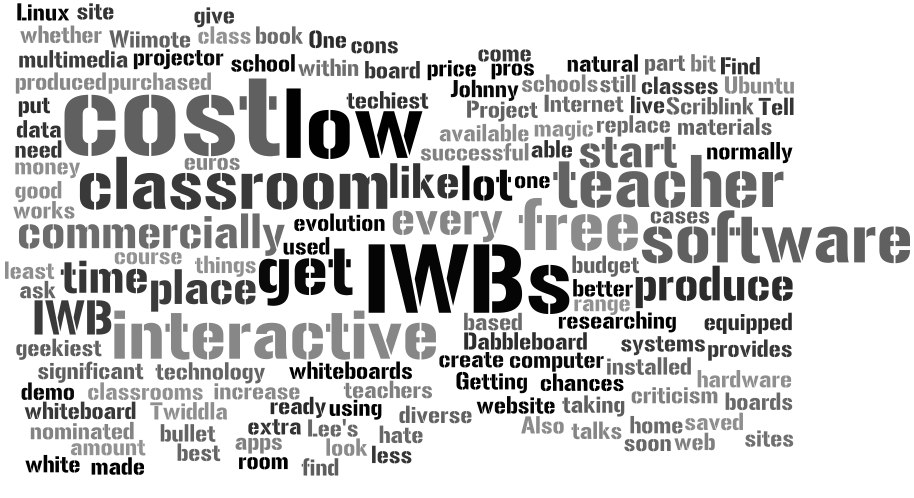
A lot has been said about the pros and cons of interactive whiteboards (IWBs), but whether you like them or hate them, they are part of the natural evolution that is taking place within the classroom and most schools will soon have them. One criticism of IWBs is the price, but they don't have to cost a lot as there are low cost hardware systems available and free software which is every bit as good and in some cases better than the software that would come with a commercially purchased board.
So here is what you can do to get your school equipped with low cost IWBs. Find your techiest geekiest teacher (the one who talks about things like Ubuntu and Linux) give him or her a budget and some free time and ask that he or she provides you with a home made interactive whiteboard installed and ready to demo. Tell him or her that if it works they can have an extra time to produce more.
- If your teacher is successful you will then be able to put interactive white boards in every classroom for less that 100 euros a room (you will still need to have a computer and data projector for each classroom too, but this will have saved you significant amount of money)
- The best place to start researching about how to create a low cost IWB is Johnny Lee's website. Also get your nominated teacher to have a look at the Wiimote Project site.
- Here are 3 sites which produce free or low cost web based apps that can be used to replace the commercially produced IWB software.
Dabbleboard
Scriblink
Twiddla
Having IWBs in class isn't a magic bullet, but it does at least get live Internet into your classes and increase the chances that your teachers will start using a more diverse range of multimedia materials than they would normally find in a course book.
 5. Get your teachers connected from anywhere
One of the best ways to get your teachers trained and web savvy is to make sure they have web access wherever they are. Subsidize your teachers' purchase of an i-Pod touch (even better an i-Phone if possible) and train them how to use it to download materials from i-Tunes, get free apps, view YouTube video, download free audio and video podcasts etc etc etc etc etc.
- Train them to use it in class (well before they actually need to) to show images, video get information etc. Within the next year the i-Pod touch is likely to include a camera for video too and this will enable teachers to start producing video projects with their classes too.
 6. Provide multimedia capable computers
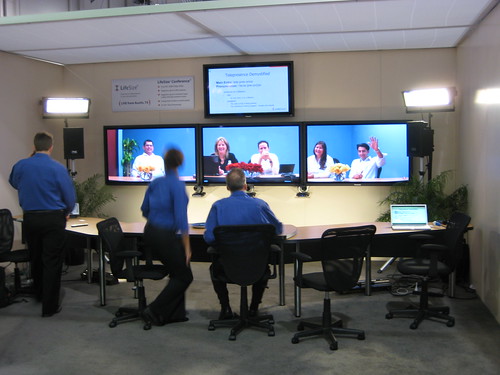
It's amazing how many schools I visit that provide computers that don't have speakers. microphone or webcams! These are fundamental necessities for exploiting the true range of web based resources available and for transforming computers from passive information display devices into dynamic creative communication tools.
- Make sure every computer that you provide for the classroom, media lab or staffroom has a built in webcam and microphone as well as speakers or that these things are available.
- WebCams can enable teachers to bring the world into their classroom and take their classroom to the world in a very powerful way and for free.
- Make sure these computers are fitted with video, image and audio editing software. All of this can be accessed or downloaded free from the Internet. This can make a whole range of video and audio based activities possible.
Of course the success of all of these measures is really dependent on training and motivating your staff, but by providing easily accessible wireless connectivity you are greatly increasing opportunities for staff to start developing themselves and each other and promoting in atmosphere in which learning can take place at anytime and anywhere in your school, not just in the classroom.
I hope you find these ideas interesting, useful and at least a little bit provocative. By all means leave comments criticisms or suggestions.
Related links:Best
Nik Peachey
Read More..
 http://www.flickr.com/photos/av-1/3521310150/
 http://www.flickr.com/photos/mortenjust/2209302906/